
MetaTrader 4 and MT5
The platforms every trader already knows, connected to TNFX pricing. Download for your device, log in with the credentials we email you, and you are trading.
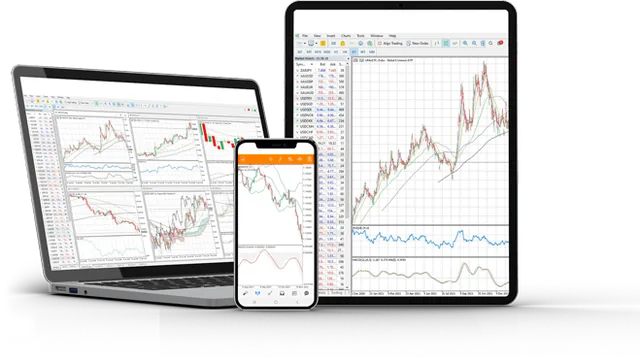
Both platforms
Live chart, on the phone you already have


FSA-licensed broker · Licence SD133
Which one should you use?
| MT4 | MT5 | |
|---|---|---|
| Best for | Familiarity, most EAs | More instruments, faster engine |
| Timeframes | 9 | 21 |
| Order types | Fewer | More, incl. depth of market |
| Economic calendar | No | Built in |
| Our recommendation | If your EA needs it | Everything else |
Logging in
Your MT login, password and server name arrive by email immediately.
Windows, iPhone or Android — or skip it and use the Web Terminal.
Search for TNFX in the server list and pick the one named in your email.
Use the login number, not your email address.
Trading from your phone
Most of our Iraqi clients trade primarily on mobile. The MT4 and MT5 apps carry full charting, all order types and one-tap execution — and your account works on every device at once, so a position opened on your laptop is there on your phone.
Which one should you install
Both connect to the same account, so this is a smaller decision than it looks. MT4 is older and its expert-advisor ecosystem is much larger — almost every ready-made robot you will be offered is written for MT4. MT5 is newer, has more timeframes and order types, and a considerably faster strategy tester.
If you do not already own a specific MT4 expert advisor, install MT5. If you trade by reading charts and clicking, the difference will not affect your day.
Logging in — and the one mistake almost everyone makes
When your account is opened you receive three things: a login number, a password, and a server name. In the platform choose “login to an existing account” and pick the server from the list.
The single most common support message we get about the platform is “invalid account”, and the cause is almost always the wrong server rather than a wrong password. Demo and live accounts sit on different servers, and picking the wrong one fails with a password error that sends people hunting for the wrong problem. Check the server name in your account email before you try anything else.
If the server does not appear in the list, type the name into the search box on the login screen rather than scrolling — the list is long and grouped by broker.
Where to download it, and where not to
Install MT4 or MT5 only from the official MetaQuotes sources: the App Store, Google Play, or the download link inside your client portal. Nowhere else.
Search results and messaging groups are full of modified MetaTrader builds. A tampered build can log your keystrokes or your account credentials, and by the time it matters your money is already gone. This is not a theoretical risk in this region — it is the most common way trading accounts get compromised.
If you would rather not install anything at all, the web platform runs in a browser and requires no download. It is the safest option on a shared or work computer.
Desktop, phone, or browser
| Best for | Limitation | |
|---|---|---|
| Desktop | Analysis, expert advisors, multiple charts | Must stay switched on for an EA to run |
| Phone | Watching positions, closing trades | No expert advisors, cramped for analysis |
| Browser | Any computer, nothing installed | No expert advisors |
Common questions
Which server do I choose?
The exact server name is in your welcome email. Search TNFX in the platform's server list and select the one shown there.
I forgot my MT password.
Reset it from the Traders Room under your account, or ask support — never send your password to anyone.
Can I use MT4 and MT5 together?
Yes, on separate accounts. Many clients keep an MT4 account for an old EA and trade on MT5.
Is there a platform without downloading?
Yes — the Web Terminal runs in any browser.
Why does it say invalid account when my password is right?
Almost always the wrong server. Demo and live accounts are on different servers. Check the server name in your account opening email and select exactly that one.
Where should I download MetaTrader from?
Only the App Store, Google Play, or the link in your client portal. Modified builds circulating in search results and chat groups can steal your credentials.
Can I use the same account on my phone and computer?
Yes. The same login works on every device at the same time, and positions sync instantly.
Do I need to download anything to try it?
No. The web platform runs in a browser, and the demo account needs no sign-up at all.